Skip to product information

Zipoi Keyless Smart Door Dead Lock with Fingerprint, Passcode & Bluetooth Control

Zipoi Keyless Smart Door Dead Lock with Fingerprint, Passcode & Bluetooth Control

check_circle Keyless unlocking with fingerprint & passcode

check_circle Secure smart access without traditional keys

check_circle Unlock instantly with fingerprint or code

Regular price £149.99
Regular price £149.99 Sale price
Sold out

In Stock- Ready To Ship

  • American express payment method American Express
  • Apple pay payment method Apple Pay
  • Google pay payment method Google Pay
  • Klarna payment method Klarna
  • Maestro payment method Maestro
  • Master payment method Mastercard
  • Visa payment method Visa
Zipoi Keyless Smart Door Dead Lock with Fingerprint, Passcode & Bluetooth Control - Zipoi

Zipoi Keyless Smart Door Dead Lock with Fingerprint, Passcode & Bluetooth Control

Regular price £149.99
Regular price £149.99 Sale price
SAVE Liquid error (snippets/price line 116): Computation results in '-Infinity'% Sold out

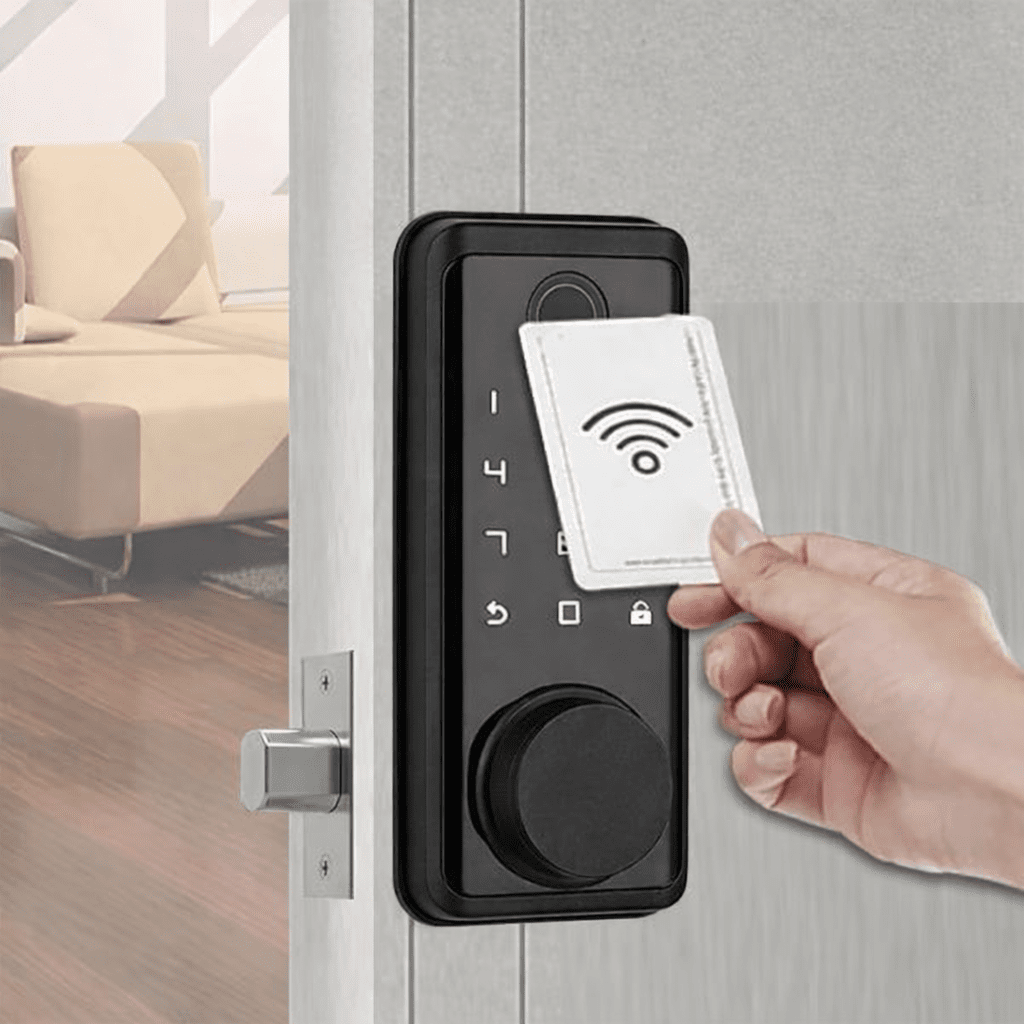
This smart deadlock door lock provides secure and convenient keyless entry for homes and rental properties. It supports biometric fingerprint access, passcode entry, and Bluetooth app control for flexible everyday use.

Designed for easy installation on standard doors, the lock allows you to manage access through your smartphone and add or remove users as needed. Its modern electronic design is suitable for residential and hospitality environments.

  • Unlock Methods: Fingerprint, PIN, Card, App, Mechanical Key
  • App Compatibility: Tuya App
  • Connectivity: Bluetooth
  • Fingerprint Capacity: Up to 100
  • Password Capacity: Up to 100 (6-digit PIN, 20-digit virtual PIN)
  • Card Type / Capacity: M1 Cards, Up to 100
  • Power Supply: 4 × AA Batteries
  • Emergency Power: USB-C, 5V
  • Low Battery Alert: 4.8V
  • Unlock Speed: 0.5 Seconds
  • Operating Temperature: -10°C to 60°C
  • Compatible Door Thickness: 35–55 mm

Order Processing & Delivery

Orders placed before 2:00 PM (GMT) ship the same business day.
Handling time: 1–2 business days (Mon–Fri)
Transit time: 2–5 business days
Estimated total delivery: 3–7 business days

30-Day Returns

You may request a return within 30 days of receiving your order. Items must be unused, in original condition, and include all packaging/accessories. No restocking fees.

View full details

Designed for Everyday Access

Manage entry with ease. Zipoi smart lock offers convenient keyless access, multiple unlock options, and a modern design built for homes and offices alike.

check_circle
Multiple Unlock Methods

Unlock via fingerprint, code, card, app, or key for flexible entry

check_circle
Fast & Secure Operation

0.5-second unlock time with support for up to 100 fingerprints, codes, and cards

Zipoi Keyless Smart Door Dead Lock with Fingerprint, Passcode & Bluetooth Control - Zipoi

check_circle
Battery + Emergency Power

Powered by AA batteries with USB-C emergency power support when needed

check_circle
Modern Smart Lock Design

Suitable for homes and offices, combining practical function with a clean, contemporary look

How To Install

Step 1 – Prepare the Door

Step 1 – Prepare the Door

Remove your existing latch or lock hardware and measure the door's backset. Ensure the door edge and handle holes are ready for the new smart lock.

Step 2 – Fit the Lock Components

Step 2 – Fit the Lock Components

Install the lock body, handle, and mounting plate into the door. Secure everything using the included screws and adjust the handle direction for left- or right-opening doors.

Step 3 – Finish & Test

Step 3 – Finish & Test

Attach the strike plate, insert the batteries, and complete the setup by adding your fingerprint or passcode. Test the lock to confirm smooth operation.

What's Included in the Box

Everything you need for a complete installation

Exterior Smart Lock

Touch keypad & fingerprint reader

Interior Lock Body

Manual turn knob

Deadlock Mechanism

Secure deadbolt latch

Access Accessories

2 mechanical keys & 2 access cards

User Manual

Installation and setup guide

Installation hardware

Keys, batteries, and installation guide