


Zipoi Smart Wi-Fi Video Doorbell 1080P
Zipoi Smart Wi-Fi Video Doorbell 1080P
 In Stock - Ready To Ship
Couldn't load pickup availability
- American express payment method
- Apple pay payment method
- Google pay payment method
- Klarna payment method
- Maestro payment method
- Master payment method
- Visa payment method

Zipoi Smart Wi-Fi Video Doorbell 1080P
Enhance your home security with this 1080P Wi-Fi Smart Video Doorbell, designed to help you see, hear, and speak to visitors from anywhere using your smartphone. Featuring clear HD video and night vision, it provides reliable monitoring both day and night.
The built-in motion detection sends instant alerts to your phone when activity is detected, helping you stay aware of what’s happening at your door. Two-way audio allows real-time communication with visitors, delivery drivers, or guests through the mobile app.
This wireless smart doorbell connects easily to your home Wi-Fi network and works with the our app for convenient control and live viewing. Its compact, modern design makes it suitable for apartments, houses, and offices.
Ideal for everyday home security, this smart video doorbell offers essential features without complexity, helping you stay connected and informed wherever you are.
Includes SD card (64GB or 128GB depending on selected option).
Technical Specification
Technical Specification
Key Features
- 1080P HD video for clear door monitoring
- Wi-Fi connectivity with mobile app control
- Night vision for low-light visibility
- Motion detection with instant alerts
- Two-way audio for real-time communication
- Wireless installation and modern design
Shipping & Returns
Shipping & Returns
Orders placed before 2:00 PM (GMT) ship the same business day.
Handling time: 1–2 business days (Mon–Fri)
Transit time: 2–5 business days
Estimated total delivery: 3–7 business days
You may request a return within 30 days of receiving your order. Items must be unused, in original condition, and include all packaging/accessories. No restocking fees.


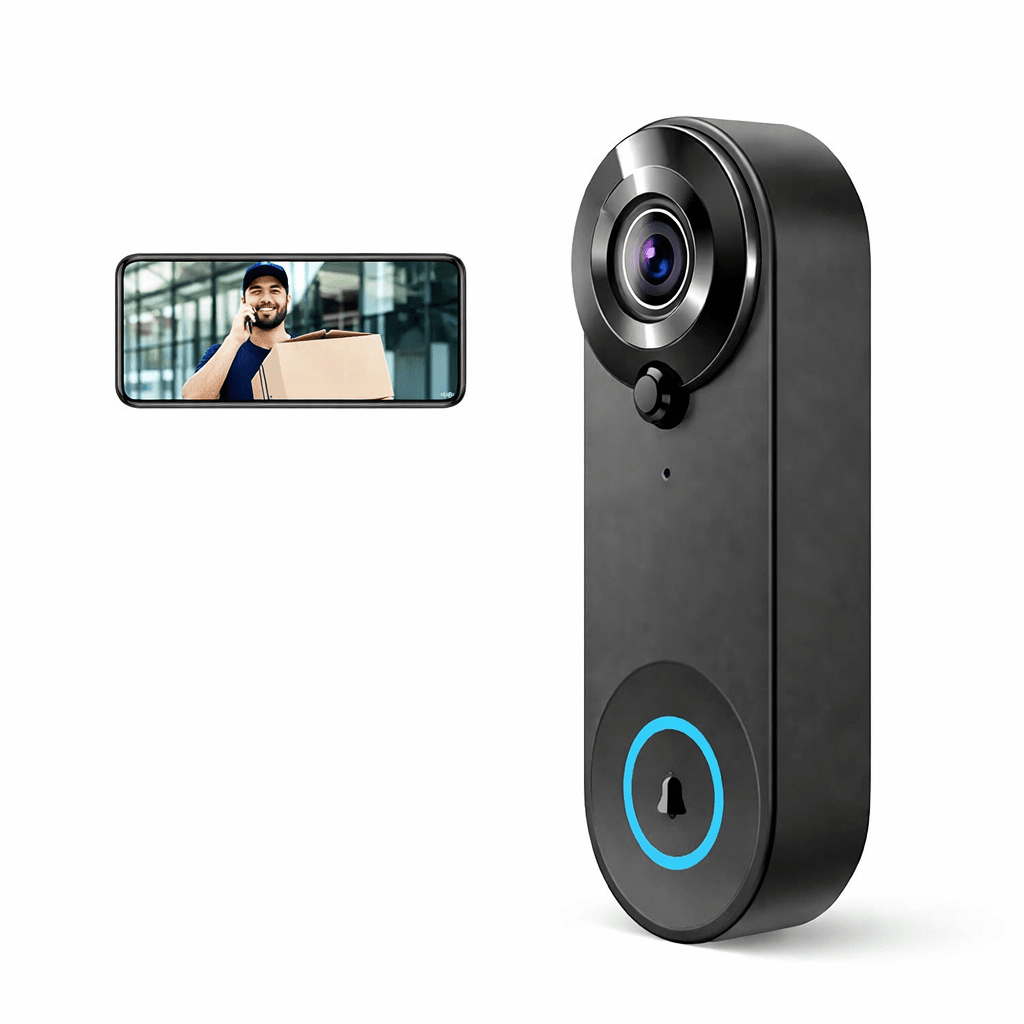
Designed for Everyday Awareness
See who’s at your door with ease. The Zipoi wireless video doorbell delivers clear 1080p video, convenient wireless installation, and a modern design suited for homes and offices.

How To Install

Step 1 – Prepare the Location
Choose a suitable spot near your front door with a clear view of visitors. Ensure your Wi-Fi signal is strong in this area. If replacing an existing doorbell, remove the old unit and prepare the mounting surface.

Step 2 – Mount the Doorbell
Attach the mounting bracket to the wall or door frame using the included screws. Secure the Zipoi Smart Wi-Fi Video Doorbell onto the bracket, making sure it is firmly in place and correctly aligned.

Step 3 – Power & Connect
Insert or connect the power source as instructed, then pair the doorbell with your Wi-Fi network using the companion app. Test live video, motion detection, and two-way audio to ensure everything is working properly.
What's Included in the Box
Zipoi Smart Video Doorbell
1080P HD camera with motion detection, night vision, and two-way audio
Indoor Wireless Chime
Hear visitors ring the bell anywhere inside your home
Mounting Bracket
Designed for secure wall or door-frame installation
Screws & Fixing Kit
All hardware required for a stable and reliable fit
Power Accessories
Reinforced door frame plate
User Manual & Setup Guide
Step-by-step instructions for fast installation and Wi-Fi pairing